



If you’ve built up a library of high-definition movies or personal video archives, chances are a large chunk of them are saved in the MKV (Matroska) container format. Famous for holding multiple audio tracks, lossless multi-language subtitles, and pristine video quality in a single file, MKV is the undisputed favorite container for digital media collectors. However, native media players on desktop systems – like Windows Media Player or Apple’s QuickTime – often struggle or refuse to play MKV files out of the box due to missing codecs. To enjoy your media without audio desync, black screens, or stuttering, you need a dedicated media player. Here are the best MKV player options available for Windows and Mac, evaluated on performance, format support, and user experience.
Top MKV Players for Windows
1. DivX Software (obviously)
The Verdict: The ideal blend of high-performance playback, sleek design and built-in library organization.
Sure, we might be a little bit biased, but DivX has been a trusted cornerstone of digital video for over 25 years. DivX Player remains one of the premier choices for users seeking an elevated digital video experience. It handles high-bitrate MKV files effortlessly, offering instant switching between multiple audio tracks and subtitles.
Beyond straightforward playback, DivX Software functions as a complete media center. It includes smooth video scrubbing controls, playback speed controls, and simple library management. If you ever run into a picky device (like a car infotainment system) that won’t accept MKV, the built-in DivX Converter lets you swap your MKV container into a widely compatible MP4 with a single click.
Pros:
- Excellent handling of high-bitrate 4K, HEVC, and H.264 MKV files
- Built-in subtitle search and instant multi-audio switching
- Advanced video converter for effortless converting to a new container or to reduce file size.
Cons:
- Some advanced features (like simple video editing and custom bitrate controls) require DivX Pro
- Can’t play every file type like some open source players


2. VLC Media Player
The Verdict: The classic Swiss Army knife for playing virtually any file format.
VLC is an open-source staple that has earned its reputation over decades. Because it includes its own internal codec library, it will play almost any MKV file you drop into it without requiring extra downloads. While its default user interface is fairly basic, it is reliable, completely free, and lightweight on system resources.
Pros:
- Plays almost every video format and audio codec imaginable
- Highly customizable with open-source extensions and skins
Cons:
- Interface can feel dated compared to modern software
- Advanced video and audio settings are hidden behind complex technical menus


3. PotPlayer
The Verdict: A feature-rich power tool for users who love detailed customization.
Developed for Windows, PotPlayer is a popular choice among tech enthusiasts who want maximum control over their playback environment. It delivers hardware-accelerated playback for smooth performance on low-end systems and supports 3D video playback and advanced subtitle rendering.
Pros:
- Deep customization options for video filters, audio processing, and hotkeys
- Efficient hardware acceleration for smooth 4K playback
Cons:
- Overwhelming interface and settings menu for casual users
- Windows-only (no macOS support)


4. KMPlayer
The Verdict: A solid option for high-resolution 4K and 8K desktop viewing.
KMPlayer is another long-standing Windows player built to handle high-resolution content, including 4K and 60 FPS playback. It offers robust subtitle controls and built-in hardware decoding.
Pros:
- Excellent handling of high-resolution 4K and 8K videos
- Built-in screen capture and customizable playback controls
Cons:
- Installer and UI sometimes include bundled ads
- Higher CPU usage on older hardware compared to lighter alternatives


Top MKV Players for Mac
1. DivX Software for Mac (obviously)
The Verdict: Sleek, stable, and built for high-definition Mac media collections.
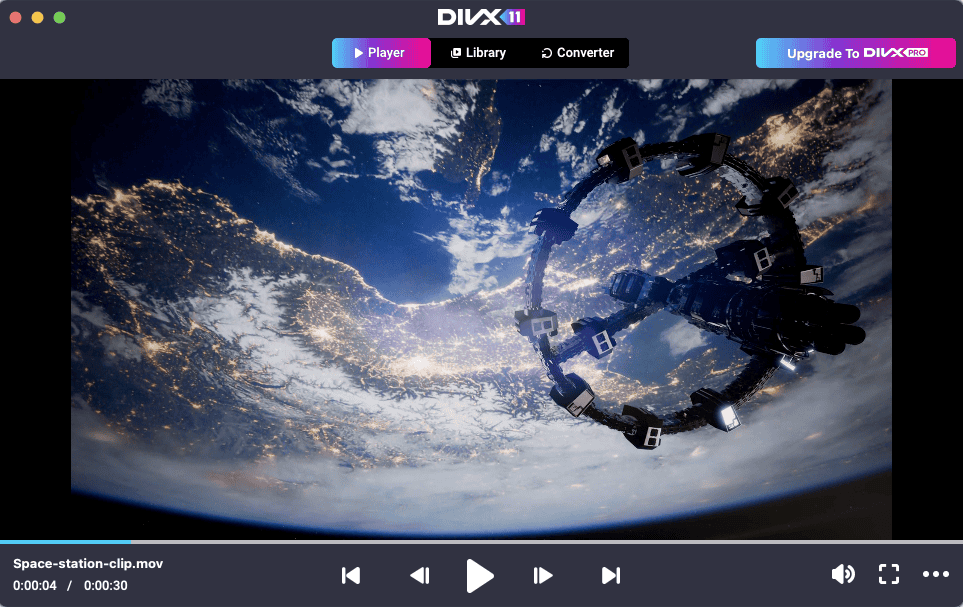
Again, we know we’re biased, but DivX Software continues to be an amazing tool for Mac users. While Apple’s QuickTime player still doesn’t offer native support for MKV files, DivX Software bridges the gap on macOS. DivX Player provides fluid playback of MKV videos without cooking your laptop’s CPU or draining the battery.
It handles multiple audio streams, subtitles, and high-bitrate formats smoothly. Paired with its clean visual library and drag-and-drop conversion tools, DivX is a top-tier MKV player for Mac that users can rely on for managing their video collections.
Pros:
- Smooth, battery-efficient MKV playback on macOS
- Effortless navigation of subtitles and alternate audio language tracks
- Drag-and-drop conversion tools to prepare files for other devices such as iPad tablets
- Unified interface combining the Player, Converter, and Library into one sleek application
Cons:
- Some advanced features (like simple video editing and custom bitrate controls) require DivX Pro
- Can’t play every file type like some open source players
- Some features work only on the Windows version only

2. IINA
The Verdict: The most modern, native-feeling open-source player built specifically for macOS.
IINA is designed specifically for modern macOS design standards, utilizing Swift and matching Apple’s aesthetic (including Dark Mode, Touch Bar support, and native Picture-in-Picture). Powered by the mpv playback engine under the hood, IINA plays MKV files effortlessly and supports trackpad gesture controls.
Pros:
- Beautiful, native macOS interface with dark mode and gesture support
- Smooth playback powered by the mpv engine
Cons:
- macOS only – no Windows counterpart if you use multiple platforms
- Lacks integrated video conversion tools


3. VLC for Mac
The Verdict: The dependable backup choice for cross-platform Mac users.
Just as on Windows, VLC for Mac is a dependable free MKV player option. If you receive an obscure MKV file encoded with rare legacy codecs, VLC will almost certainly play it. While it doesn’t match the look and feel of macOS as closely as IINA or DivX, its core playback engine remains rock solid.
Pros:
- Universal codec support – plays obscure formats without issue
- Completely free with no ads or limitations
Cons:
- UI does not follow native macOS design guidelines
- Lacks modern media server and library management features


Comparison At a Glance
| Player | Platform | Best For | Standout Features |
|---|---|---|---|
| DivX Software | Windows/Mac | All-in-one playback, conversion and library management | High-bitrate MKV playback plus built-in converter |
| VLC Media Player | Windows/Mac | Universal file compatibility | Plays nearly any format without extra codecs |
| IINA Player | Mac | Modern macOS integration | Clean UI, trackpad gestures and picture-in-picture |
| PotPlayer | Windows | Advanced tweaking and hardware control | Extensive video filter and audio adjustments |
| KMPlayer | Windows | 4K and 8K video playback | Dedicated high-res playback optimizations |
The Verdict: Which MKV Player Should You Choose?
- If you want a purely open-source workhorse that opens any random file, VLC is a classic choice.
- If you are on macOS and want an aesthetic player for simple viewing, IINA offers a great native interface.
- If you want a complete, high-performance media environment that plays crisp high-definition MKVs, organizes your library, includes subtitle search, and converts files for mobile compatibility, DivX Software is the total package.
Ready to upgrade your media playback? Download DivX Software for free on Windows or Mac and enjoy your media library the way it was meant to be seen.
Apple, Mac, macOS, QuickTime, iPad, and Touch Bar are trademarks of Apple Inc., registered in the U.S. and other countries and regions. This article is independent and has not been authorized, sponsored, or otherwise approved by Apple Inc.