



Why Encoding and Sharing Matter
You’ve spent hours shooting or editing your video until it’s just right. But then you share it—and instead of looking crisp, it comes out pixelated, choppy, or slow to load. That’s the result of poor encoding and sharing settings.
The truth is, even the most creative content can fall flat if the technical side isn’t handled properly. Bitrate, codec, resolution, and compression all play a role in whether your audience sees your work in its full quality or as a glitchy version of what you intended.
Whether you’re a seasoned creator or just starting out, knowing the basics of encoding makes all the difference. With the right settings, your videos can stay sharp, smooth, and compatible across devices—exactly the way you envisioned them.
At DivX, we’ve spent years helping creators strike that balance between quality and compatibility. If you want your videos to look as good when shared as they do in your editing suite, these best practices will guide you there.


Setting Up for Success: Hardware and Software Essentials
Before you export or share your video, it’s important to make sure your setup is ready for the task. Encoding puts real demands on your system, and the right hardware and software can save you time while protecting video quality.
Minimum and Recommended Specs
- Central Processing Unit (CPU): A modern quad-core processor (Intel i5 / AMD Ryzen 5 or higher) is the baseline. For 4K editing or projects with lots of effects, a faster chip will make a noticeable difference.
- Graphics Processing Unit (GPU): While you can encode without a dedicated graphics card, a capable GPU can significantly speed up rendering—especially for high-resolution video.
- Random Access Memory (RAM): 8GB will get you started, but 16GB or more is recommended for smoother performance with large files.
- Storage: Solid-state drives (SSDs) are strongly recommended. Video projects take up space quickly, and slow drives can bottleneck your workflow.
Software Considerations
Stick to reputable, well-supported software for editing and encoding. Updated tools ensure you have access to the latest codecs and export settings. DivX isn’t just a technology provider—it’s also an educational resource for creators, helping you navigate software options and industry best practices.
Choosing the Right Codec
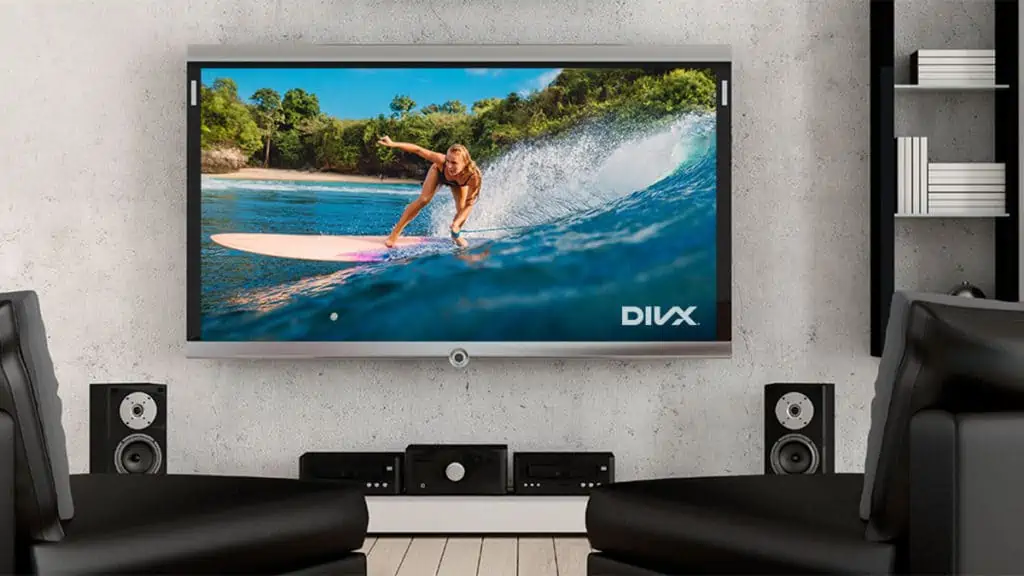
There isn’t a single “best” codec for every situation. The ideal choice depends on your priorities: do you need wide compatibility, the smallest possible file size, or the highest image quality? Understanding these trade-offs will help you select the codec that fits your project.

Best Practices for Video Encoding (All Codecs)
With the right hardware and software in place, the next step is to configure your encoding settings. Small adjustments here can make a big difference in both video quality and playback compatibility.
Bitrate: VBR vs. CBR
First up—bitrate. Bitrate determines how much data is allocated to your video per second. More data generally means higher quality, but also larger file sizes.
- VBR (Variable Bitrate): VBR adjusts the bitrate depending on what’s happening in your video. Complex scenes get more data, simple scenes get less. This usually means better quality at a smaller file size—great for most uses.
- CBR (Constant Bitrate): CBR uses the same bitrate throughout. It’s more predictable and can be useful for streaming, but sometimes wastes space on less detailed scenes.
Recommended Bitrate Ranges
- HD (1080p): 8–12 Mbps (VBR)
- 4K (2160p): 25–50 Mbps (VBR)
Resolution and Aspect Ratio
Sticking with standard resolutions and aspect ratios is a safe bet. Most platforms and devices expect:
- HD: 1920×1080 (16:9)
- 4K: 3840×2160 (16:9)
If you’re feeling creative, you can experiment with vertical or square videos for social media—but know your audience and platform before you stray from the norm.
Profiles and Levels
You might see terms like “Main” or “Main10” when choosing a codec. These profiles and levels help define what features are used and which devices can play your video.
- Main Profile: Offers good compatibility and quality for most uses.
- Main10 Profile: Supports 10-bit color for richer images, but not all devices support it yet.
When in doubt, stick with the Main profile for the broadest compatibility.
Balancing File Size and Quality
There’s always a trade-off: higher quality creates larger files, which may be harder to upload, stream, or share. The best setting often depends on your audience—if most viewers are on mobile devices or limited bandwidth, smaller file sizes may be the better choice.
Quick Reference Table:
| Setting | HD (1080p) | 4K (2160p) |
|---|---|---|
| Bitrate (VBR) | 8–12 Mbps | 25–50 Mbps |
| Profile | Main/Main10 | Main10 |
| Container | MP4, MKV | MP4, MKV |
It’s totally normal to experiment a bit to find what works best for you. And if you’re ever in doubt, don’t hesitate to reach out to DivX for guidance—we love helping creators get it just right!


Sharing and Distributing Video Content
Your video looks sharp—now it’s time to share it. Before uploading, it’s important to make sure your file is formatted for smooth playback across platforms and devices.
Platform Compatibility: Where Will Your Video Live?
Different platforms have their own preferences when it comes to video formats and codecs. Here’s a quick rundown:
- YouTube & Vimeo: Both platforms are flexible, but H.264 in an MP4 container is the safest choice for reliable uploads and playback.
- Social Media (Facebook, Instagram, Twitter):Shorter videos perform best here. H.264/MP4 ensures compatibility and helps avoid playback issues on mobile devices.
- Streaming Services:Specialized streaming platforms may have stricter requirements. Always check their technical guidelines for codec, resolution, and file size recommendations.
Exporting Tips for Maximum Compatibility
- Container Formats: MP4 is the universal favorite—widely supported and efficient. MKV is another solid choice for more advanced features, but not every platform loves it.
- Audio Options: AAC is the way to go for audio. It’s compatible with nearly every device and platform.
- Subtitles & Captions: If you need them, include standard formats like SRT, which most platforms recognize.
Fallback Options for Older Devices
It’s easy to forget that not everyone has the latest phone or smart TV. If you want your video to reach the widest audience:
- Offer a lower-resolution version (like 720p or even 480p) for viewers with limited bandwidth or older hardware.
- Provide alternate formats if you’re using a cutting-edge codec (like HEVC) and know some viewers might not be able to play it.
- Test your video on a few different devices before sharing it widely. You’d be surprised how often a quick check can save you a support headache later.
Making your content accessible across different devices and platforms ensures that your work reaches the broadest possible audience. For guidance on compatibility and best practices, DivX offers up-to-date resources to help creators troubleshoot and optimize their distribution workflows.


Spotlight: HEVC and Other Modern Codecs
Modern codecs like HEVC (H.265), AV1, and VVC are reshaping how video is compressed and shared. They promise better efficiency and higher quality—but also bring new considerations for creators.
What’s New on the Codec Block?
- HEVC (H.265): This codec is a powerhouse when it comes to compression. It can deliver the same quality as older codecs like H.264, but at about half the file size. That means faster uploads, quicker downloads, and less storage space used.
- AV1: This is a newer, open-source codec that’s gaining traction, especially for streaming and web video. It promises even better compression than HEVC and is royalty-free, which is a big plus for both creators and platforms.
- VVC: The latest in cutting-edge codecs, VVC is designed for the next generation of ultra-high-definition content. It’s still early days, but it’s definitely one to watch as technology continues to evolve.
Should You Use HEVC or Stick with H.264?
Here’s the practical advice:
Use modern codecs like HEVC or AV1 only if you know your target platform and audience support them. For example, certain streaming services or newer devices handle them well. But if broad compatibility is your priority, H.264 remains the most reliable option.
Curious to learn more about HEVC and how it compares to other codecs? Dive into our DivX HEVC Glossary for a deeper look at the technology, its benefits, and its limitations.

Troubleshooting Common Issues
Even with the right setup and careful preparation, problems can still occur. Encoding errors, failed exports, or playback complaints are all part of the process—but most issues have straightforward fixes.
Encoding Errors: When Software Crashes or Exports Fail
If your software crashes during export or throws an error message, try these steps:
- Update Your Software: Sometimes, the problem is as simple as an outdated app. Developers regularly release updates to fix bugs and improve stability.
- Try Different Export Settings: Lowering your resolution or bitrate can reduce strain on your computer and sidestep compatibility issues.
- Restart and Re-Export: It sounds basic, but a quick restart can clear up memory issues or background glitches that cause crashes.
- Check for Storage Space: Running low on disk space can cause exports to fail, especially with large video files.
Playback Problems: Stutter, Lag, or Incompatibility
Maybe your viewers report that your video stutters, won’t play, or looks strange on their devices. Here’s how to tackle those complaints:
- Gathering details: Ask which device, browser, or player they’re using. Sometimes the fix is as simple as updating their software.
- Offering alternate versions: If you encoded in HEVC, provide an H.264 version for older hardware or less compatible devices.
- Testing on multiple devices: Play your video on different systems (desktop, mobile, smart TV) to spot problems before distribution.
When in Doubt, Lean on DivX
If issues persist, DivX offers educational resources and support with troubleshooting tips and proven solutions from other creators.
Glitches and errors are normal, but they don’t have to derail your project. With patience and the right adjustments, you can resolve most problems and deliver smooth, reliable playback for your audience.
Create, Share, and Inspire with Confidence
Bringing your vision to life through video takes effort, but the right preparation ensures your work looks and sounds its best. Start with reliable hardware, trusted software, and encoding settings that match your project and audience.
Experiment with new codecs and formats when needed, but always keep compatibility in mind so your content reaches the widest audience. And if you run into export errors or playback hiccups, remember it’s a normal part of the process—most issues can be solved with a few quick adjustments and the support of the DivX community.
For ongoing guidance, explore the DivX Technology Glossary and our library of educational resources. Whether you’re brushing up on technical terms or tackling advanced workflows, we’re here to help you keep learning and stay inspired.
Create, share, and inspire with confidence—your audience is ready.