What Does DivX Certified® Mean for In-Car Video Playback?
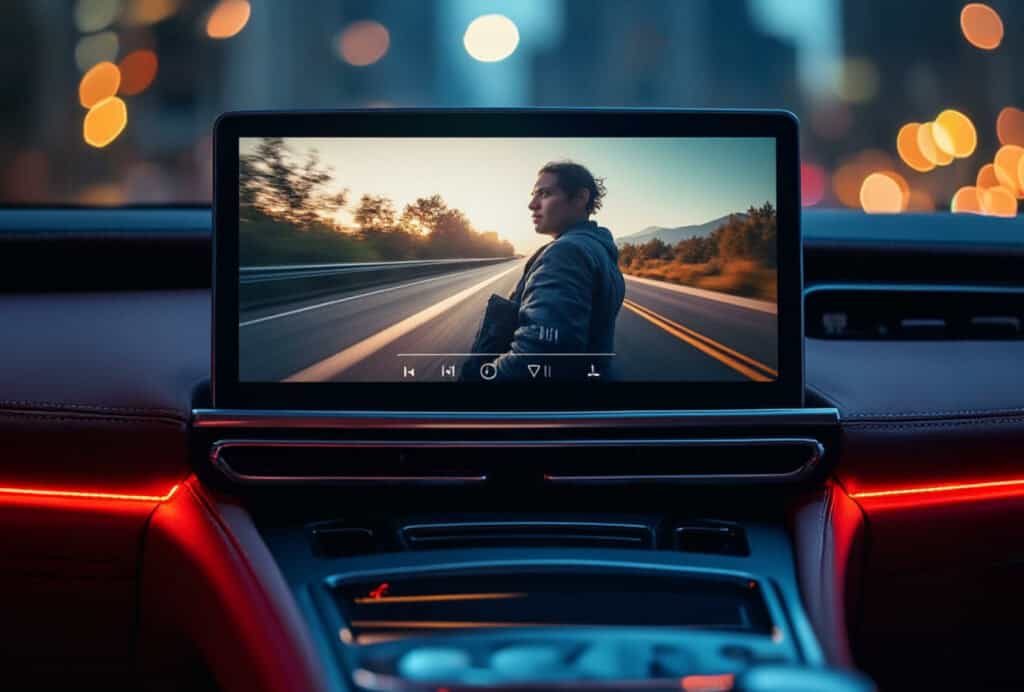
You loaded the USB drive. You’ve got a long drive ahead and a solid lineup of videos ready to go. You plug it in, pull out of the driveway, and your car’s entertainment system stares back at you blankly. Wrong format. Unsupported file. Nothing plays.
It’s one of the more quietly infuriating moments in modern technology. And it’s entirely preventable.
DivX Certified means a device has been tested and verified by us (DivX) to reliably play DivX video. This means no guesswork, no compatibility roulette. When you see that logo on a car entertainment system, your videos are going to work. That’s the promise, and it’s backed by over 25 years of video technology that we’ve spent building, testing, and refining across billions of devices worldwide.
Here’s exactly what that certification means, why it matters more in your car than almost anywhere else, and how to make sure your library is ready for the road.
What DivX Certified Actually Means
In short, it means the device passed our tests. However, the longer version matters because it explains why the certification is useful.
Manufacturers don’t simply request the DivX Certified logo. They must submit device models for testing against a defined set of technical standards that DivX sets and enforces.
To qualify, the device must demonstrate that it can:
- Decode DivX video correctly
- Handle supported file formats reliably
- Deliver consistent playback
- Avoid issues such as errors, stuttering, or audio problems
If the device passes, it earns DivX Certification. If it doesn’t, it goes back for further work.
This process ensures that DivX Certified is a verified claim, not a marketing one. Every device model carrying the logo has gone through official testing and met the same measurable standards. As a result, the label signals real, tested playback performance and reliability.
Why In-Car Systems Are Different from Every Other Screen
Your laptop will try its best with almost any video file you throw at it. Your smart TV has app stores, software updates, and streaming services that quietly expand what it can handle.
Your car entertainment system is different. It works with what it shipped with:
- A USB port or disc drive
- A fixed list of supported formats
That’s not a flaw, it’s how these systems are designed.
In-car systems prioritize reliability in a demanding physical environment, not constant software flexibility. Format compatibility is decided before you leave the driveway, not negotiated in real time.
The Format Problem Most Drivers Don’t Know They Have
Car head units are often far more selective about video formats than the other screens in your life.
- A modern laptop plays MKV files without hesitation.
- Many car systems don’t support MKV at all.
- HEVC video runs smoothly on most smart TVs.
- A non-certified car system might not even recognize it.
Formats that feel standard everywhere else can disappear entirely in an automotive environment.
Without a DivX Certified device, drivers often end up doing trial-and-error:
- Load a video file
- See if it plays
- Convert it if it doesn’t
- Repeat
We extended DivX Certification to automotive devices, including systems from manufacturers like Kia and LG, specifically because this problem is more consequential in the car than almost anywhere else.
What the DivX Certified Logo Actually Guarantees
The logo is a shorthand for a specific set of promises. Here is what those promises actually cover.
- Reliable playbackDivX video files play correctly on a certified device at the tested profile level. No stuttering, no audio sync failures, no silent errors where the file loads but plays incorrectly.
- Format compatibilityThe device correctly handles DivX file formats including .divx, .avi, and MKV at the specifications defined by its certification profile.
- Consistent performance across sourcesWhether your content comes from a USB drive, an optical disc, or a network transfer, a certified device delivers the same verified playback experience.
What the logo does not promise is unlimited format support beyond the certified profile. Certification is specific about what it covers. That specificity is a feature, not a limitation. It means you know exactly what you are getting.
DivX Certification Profiles Explained
Not all DivX Certified devices are certified to the same level, and that’s by design.
Certification is organized around four profiles. Each one defines the maximum resolution, bitrate, and codec specifications a device has been verified to handle. Think of it as a clear, honest label for what the device can actually do with your content.
| Profile | Best For | What It Covers |
|---|---|---|
| Home Theater | Small to mid-size screen playback | Standard definition content at higher quality levels |
| HD 720p | High definition viewing | Verified playback of HD content up to 720p resolution |
| HD 1080p | Full high definition viewing | Verified playback of HD content up to 1080p resolution |
In practical terms: a DivX Certified HD 720p car system will correctly play any DivX content encoded up to that specification.
You will find the profile listed in a device’s specifications and on its packaging alongside the DivX Certified logo. It is there so you can make an informed decision before you buy, not discover limitations after.
The Scale Behind the Standard
DivX Certified is not a niche badge. It is one of the most widely adopted video compatibility standards in consumer electronics.
We launched the program in 2004 with the first certified consumer electronics device. Since then, more than two billion DivX Certified devices have shipped worldwide across TVs, Blu-ray players, mobile devices, game consoles, and in-car entertainment systems. More than 75% of global smart TV manufacturers license DivX technology.
That breadth means something practical for you as a user. The more widely a standard is adopted, the more your content travels with you. A video library built around DivX compatibility does not stop working when you move from your living room to your car.
How to Know If Your Car System is DivX Certified
If you’re shopping for a new head unit or in-car entertainment system, checking is simple.
- Look for the DivX Certified logo on the product packaging.
- Check the manufacturer’s specifications on the product page.
- The listing should also show the certification profile, which tells you exactly what content the device has been verified to play.
If the logo isn’t obvious:
- Review the product page specifications
- Check the device manual for DivX support
Manufacturers that certify their devices through the program list it clearly in their specs.
You can also verify devices using the DivX Certified device database.
There you can search by:
- Brand
- Model
- Certification profile
It’s the most direct way to confirm whether a specific system meets the standard.
What to Do If You Already Own a Car System
Not sure whether your current system is certified? Start with the device database. Search your car system’s make and model and you will have your answer in minutes.
If your owner’s manual lists supported video formats and codecs, that is another reliable reference point. DivX support will be noted explicitly if it is there.
From there, two paths:
Your device is DivX Certified.
Use free DivX 11 Software to encode your files to the correct profile for your system. Convert once, and your library is road-ready.
Your device is not DivX Certified.
DivX Software can still help. The converter in free DivX Software prepares your files in widely compatible formats that give you the best possible playback odds on non-certified systems. Not a guarantee, but significantly better than loading files and hoping for the best.
Either way, you are not on your own.
DivX Software: The Bridge Between Your Library and Your Car
A DivX Certified car system solves the device side of the equation. DivX Software solves the content side. Having the right device matters. But if your video files aren’t encoded to match your device’s certification profile, you lose the reliability that certification provides. DivX Software closes that gap, and it’s free to download.
One Application, Three Tools
DivX Software combines everything you need to manage your video library in a single application:
- Player – Watch your videos
- Converter – Prepare files for compatible playback
- Media Server – Stream content across your devices (Windows only)
Instead of juggling separate tools, your entire workflow lives in one place.
For car entertainment systems, the converter is the most important tool. It allows you to:
- Encode your videos into DivX-compatible formats
- Match files to your device’s certification profile
- Prepare a library that is reliably playable in your car
The result is media that’s actually road-ready, not just likely to work.
One Conversion, Every Screen
The benefits go beyond your car. Files prepared with DivX Software work across DivX certified TVs, mobile devices and computers. Convert your files once, and your content works consistently across all your screens.
The Goal Behind DivX 11 Software
When DivX 11 launched, the goal was simple: make digital video easier to manage and watch everywhere.
As Noel Egnatios explained, the aim was to give users, “...a unified, simplified, connected way to watch digital video.”
For anyone building a media library they want to enjoy across devices, that’s exactly what DivX Software delivers.
Freedom, Not Friction, on Every Drive
Choosing DivX Certified means choosing confidence. Your car system plays your content, no guesswork, no format surprises, no troubleshooting halfway down the highway.
It’s the same promise that has guided DivX for more than 25 years: connecting people to their entertainment across devices, platforms, and screens.
Whether you’re upgrading your car system or preparing your video library for the next road trip, DivX gives you the tools to make your media work the way it should.
Next steps:
- Search the DivX Certified device database to verify or find a compatible car system.
- Download free DivX 11 Software to prepare your video library for certified playback.
- Install DivX Software and try DivX Converter to match your files to your device’s certification profile.
- Visit the DivX Support Center to find answers to common questions, troubleshooting guides, and personalized help from our expert team.
- Browse DivX Resources for step-by-step guides, tips, and best practices to master video conversion.